2027 staff tutorial
6 Leave & duty swap request
This chapter adapts the 2026 change-duty request guide for the separate 2027 request pages. An administrator reviews these requests.
Open New Request (Change Duty) from the Leave & duty swap request group.
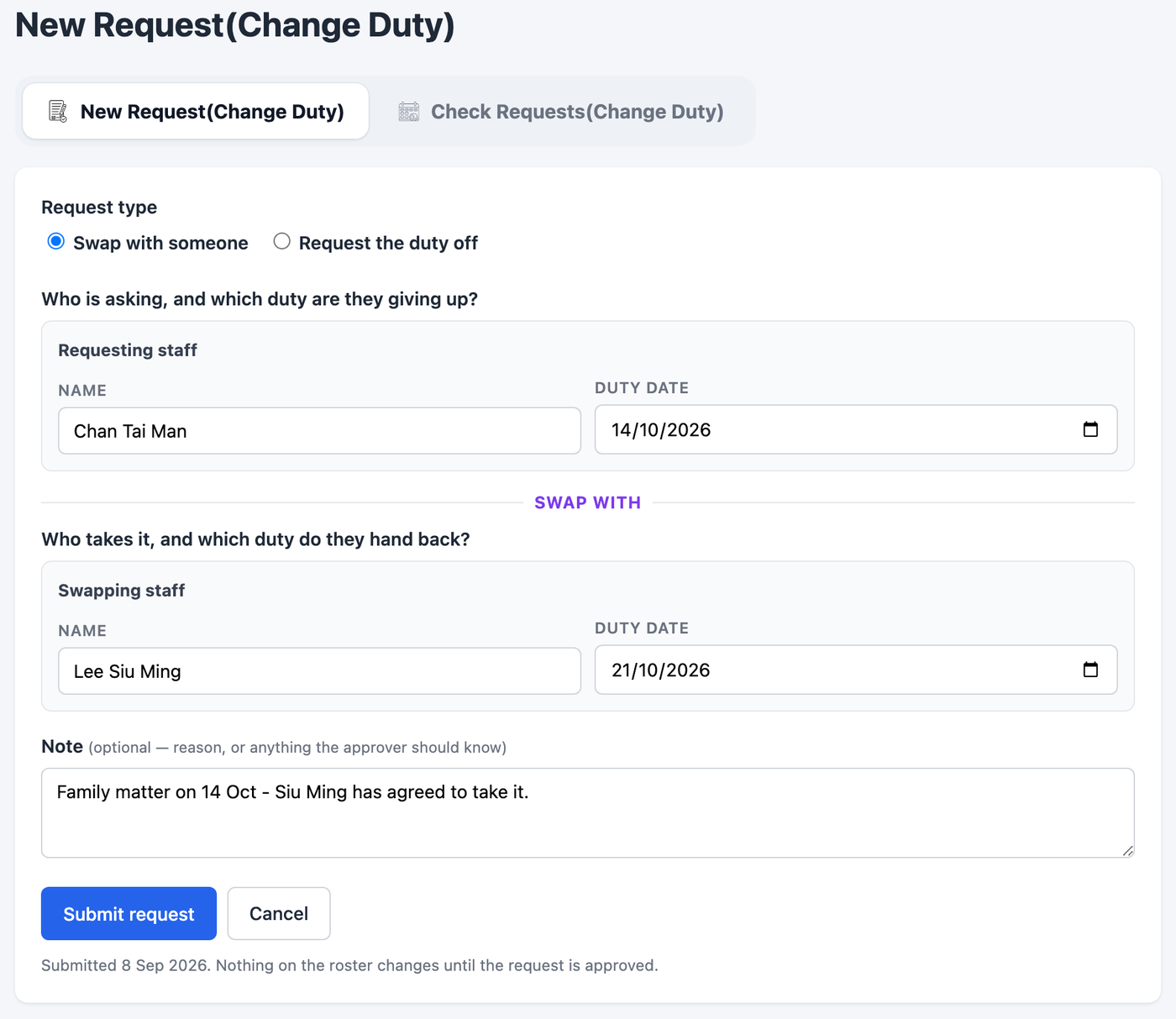
- Request type. Choose Swap with someone for two people trading dates, or Request the duty off for a one-sided request.
- Requesting staff. Type your name, then select the correct person from the dropdown. Check the full name and station shown below it.
- Duty date. Select the day being given up, within 1 January–31 December 2027.
- Swapping staff and date. For a swap, choose the other person and the duty date they give in return. A request off does not need a second person.
- Note. Explain the request, then press Submit request.
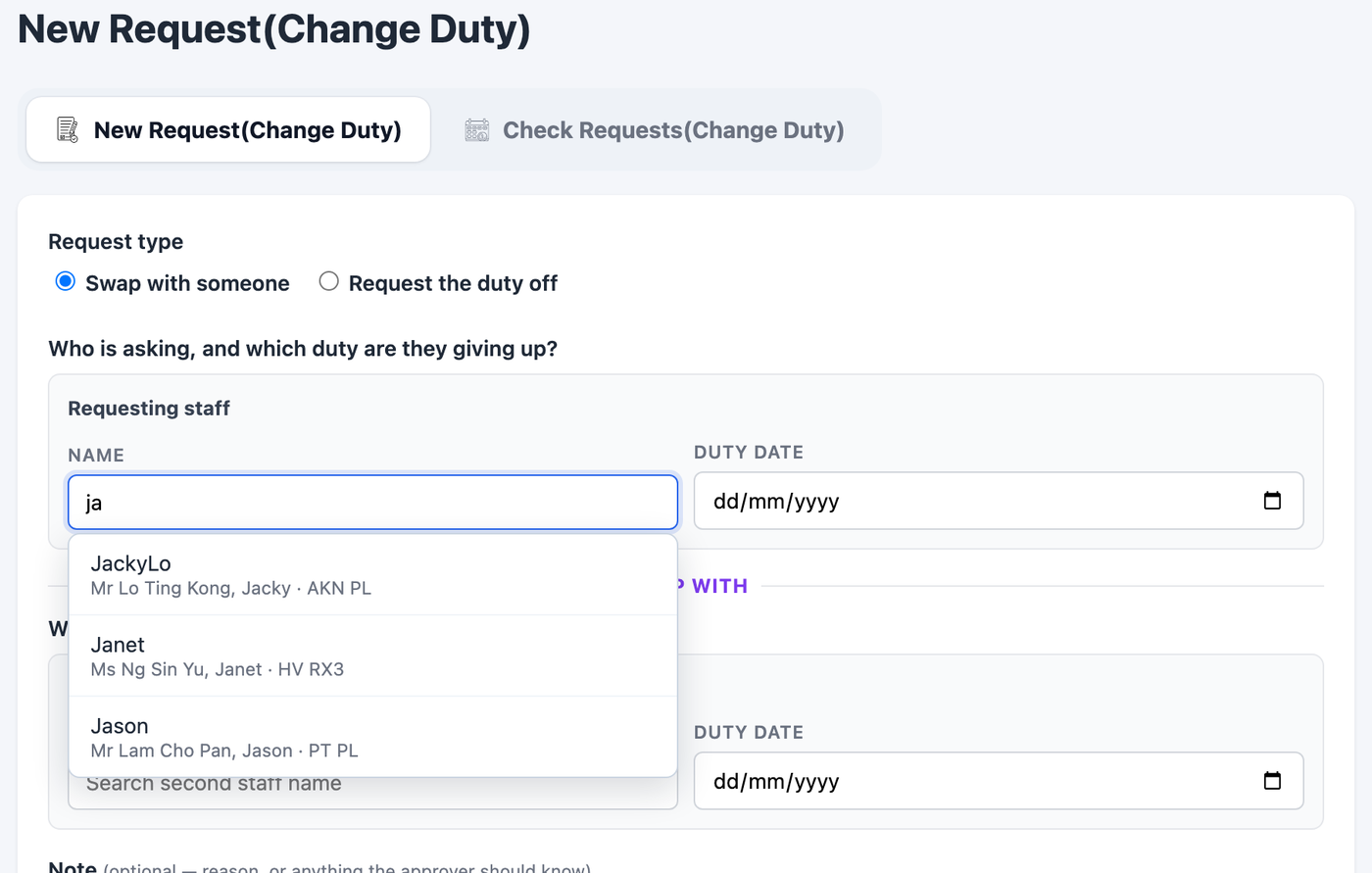
The form checks for missing names or dates, invalid date ranges, an invalid same-person swap and senior staff who are not eligible for these duty swaps. Read any error, correct the named field and submit again.
After submission
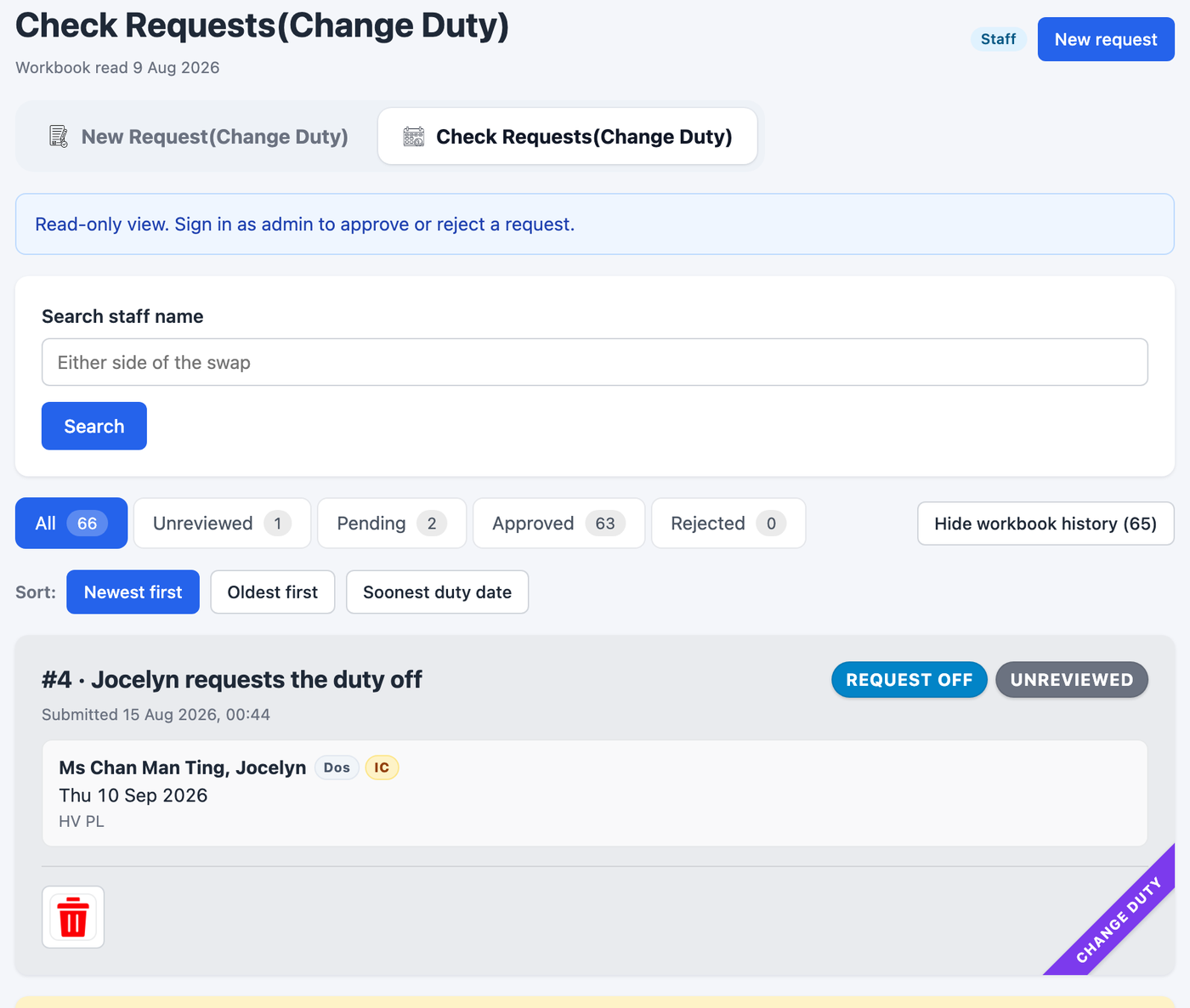
You return to Check Requests (Change Duty). Use the Unreviewed, Pending, Approved and Rejected tabs and name search. The 2027 list is separate from 2026 and does not import the 2026 workbook request history.
While a request is Unreviewed or Pending, staff can use Amend notes above the admin remark. Enter the explanation, press Enter to save, or Discard input to abandon that note edit. The admin remark remains separate. The bin can cancel a request that has not been decided.