2027 staff tutorial
7 Intrastation swap request
Use a station-shift request when the date stays the same but staff swap, join or leave a station within one centre. A senior reviews it.
Change duty
A duty day moves between people or is requested off. Use the change-duty chapter.
Station shift
The day is shared and the station assignment changes. Follow the steps below.
Open New request (station shift) from Intrastation swap request.
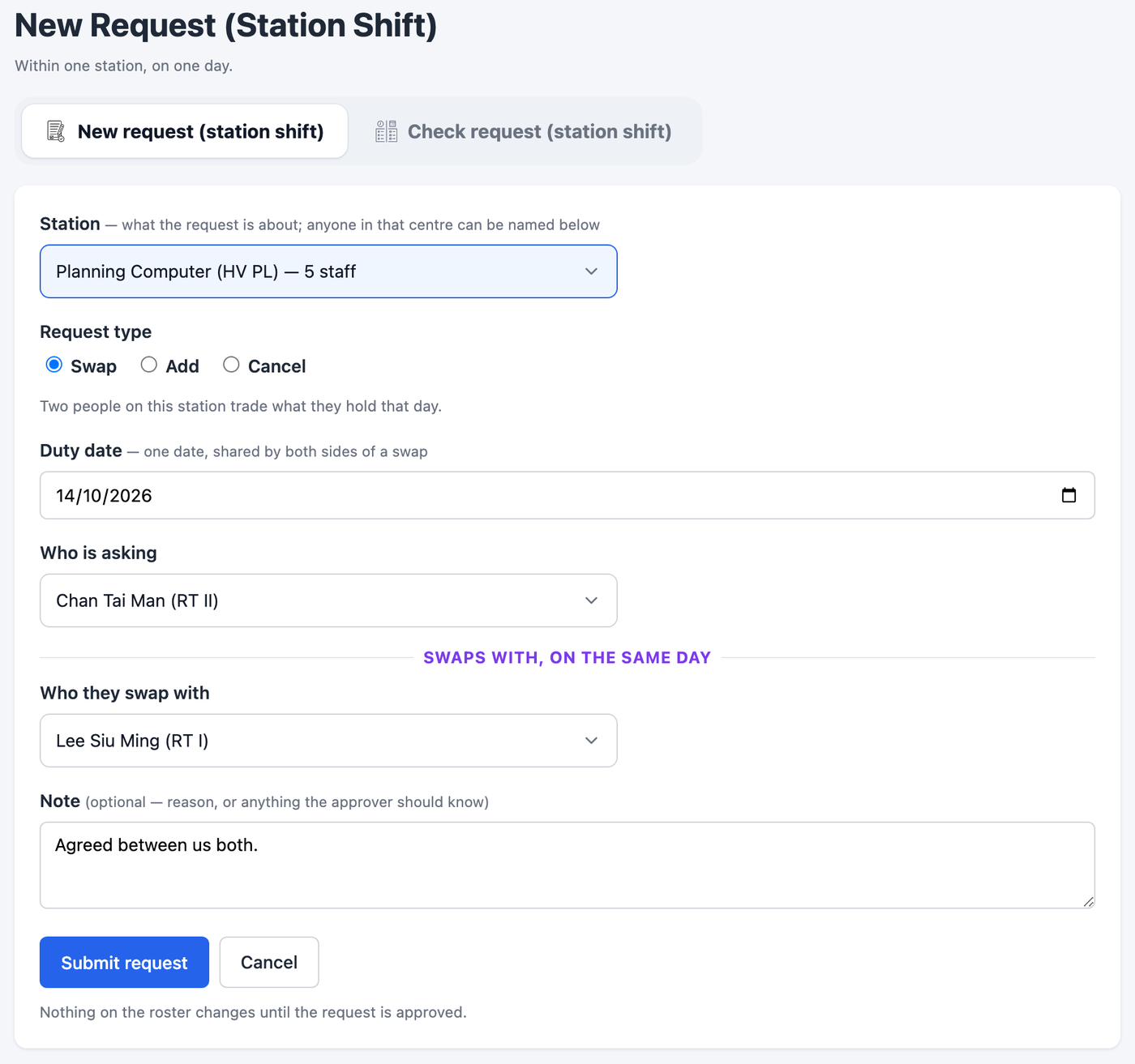
- Station first. Choose the centre and station. The names below depend on that choice.
- Request type. Swap trades the assignment between two people; Add requests someone onto it; Cancel requests someone off it.
- Duty date. Choose one 2027 date. Both sides of a swap share it.
- Who is asking. Select the correct person from that centre. For a swap, select the correct second person too.
- Note. Explain the change, check the names and station, then press Submit request.
If a station or person is not offered, check the current staff allocation and station assignments and ask the senior. A station needs enough eligible staff before it can be offered; do not choose a different name just to submit.
Follow the request
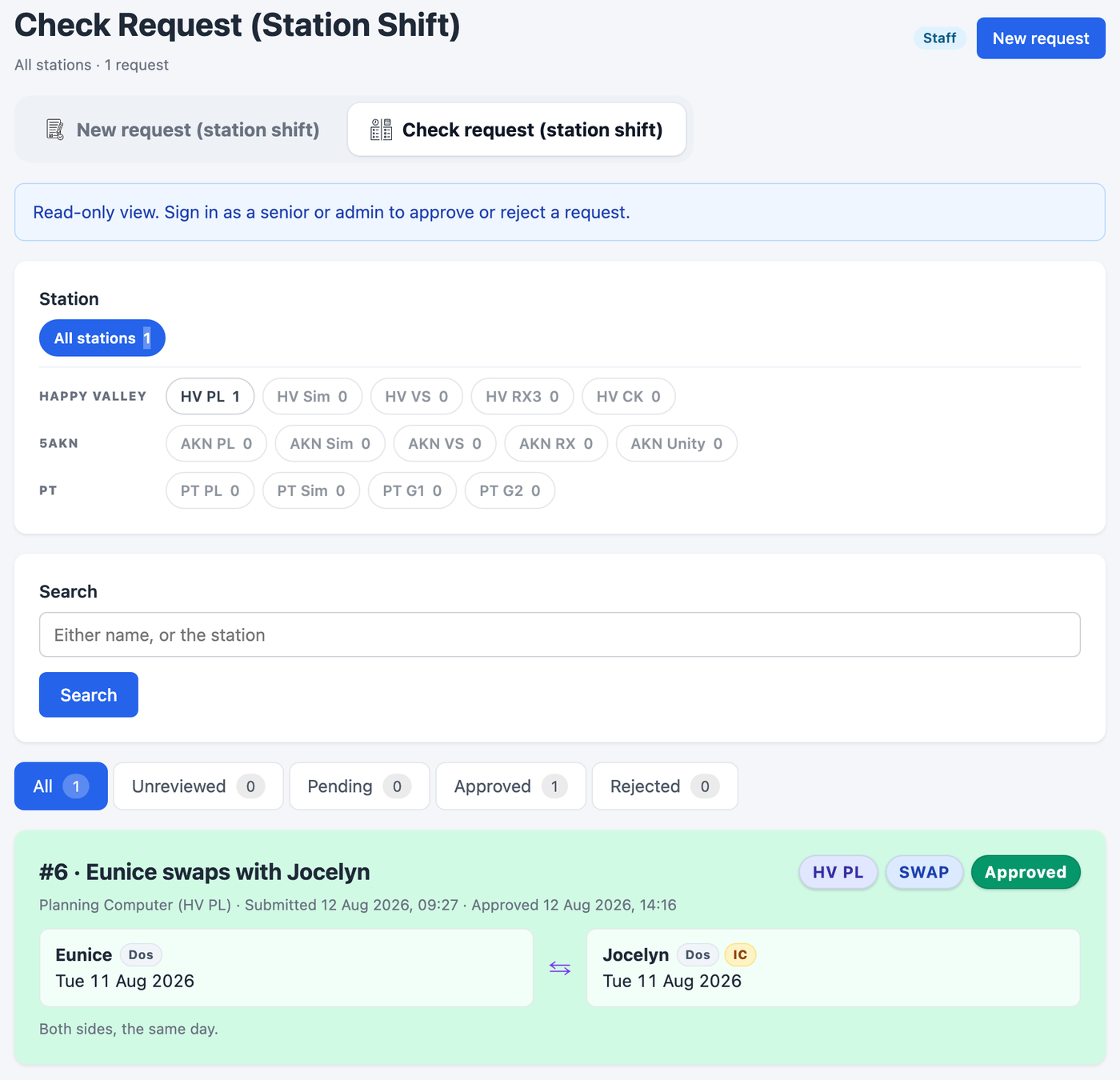
Open Check request (station shift). Filter by station, name and status. Use Amend notes while the request is Unreviewed or Pending, then Enter or Discard input. The change-duty and station-shift lists are separate; a request appears only in the list where it was raised.